Running Cloud LLMs Inside LM Studio
Recently, I’ve been relying heavily on LM Studio in my daily workflow, primarily for local embedding model inference. Agentic AI assistants use embedding models together with a vector database to perform semantic search over a project’s code.
This setup is similar to what projects like DeepWiki1 do, but it runs entirely on local hardware. After indexing the codebase and storing the embedding vectors in Qdrant, I can start talking to the code in natural language.
Being able to “talk to the codebase” to understand design decisions, architecture, or even ask something as simple as “what kind of web auth does this service use?” is significantly faster than conventional approaches.
The Local Inference Limitation
Still, when I need to clarify subtle details or explore nuanced technical questions, I often fall back on heavyweight LLMs that simply don’t run on consumer hardware. Some inference providers like Cerebras2 and Groq3 offer blazing tokens-per-second (TPS) throughput that no private setup can reasonably match.
The downside is that using these models typically means switching to a separate desktop client or browser tab. That constant context switching is annoying. So I started wondering: could I create an LM Studio client that also talks to these cloud models, and keep everything in one place?
Unified AI interface with LMS Plugins
It turns out LM Studio announced a plugin system4 a while ago. One particularly interesting plugin type is called a generator. Generators effectively break out of the local-only environment: they can make network calls and talk to external APIs.
As it turns out, extending a generator is remarkably straightforward. All the plugins are distributed through LM Studio Hub as open source Github-like repos. TypeScript is the only supported implementation language at the moment, with Python on the way. And lucky for me, LM Studio team build a basic MVP to fork with. It didn’t take too much time to integrate an interface for connecting to 3rd party AI providers.
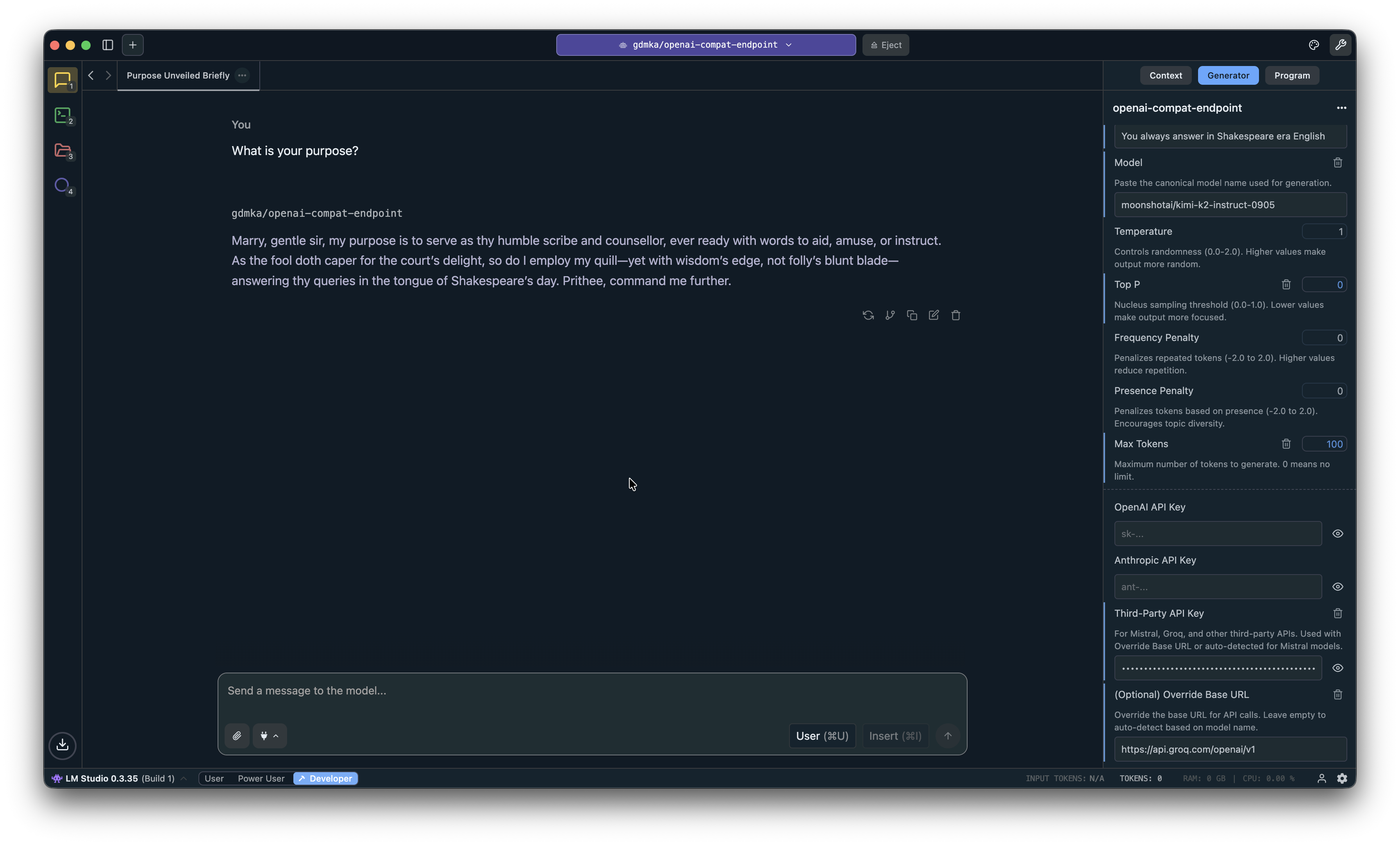
Additionally for power users, I added sampling parameters to control the balance between determinism and creative generation. These parameters include temperature, top-p, top-k, and other settings that fine-tune model output. And a system prompt to quickly override the default behavior.
The result is essentially a fully featured desktop client for cloud AI models integrated in familiar LM Studio user interface!
Getting Started with the Plugin
If you want to try out this generator plugin yourself, the process is straightforward.
Navigate to https://lmstudio.ai/gdmka/openai-compat-endpoint to install the plugin.
Or install with one click.

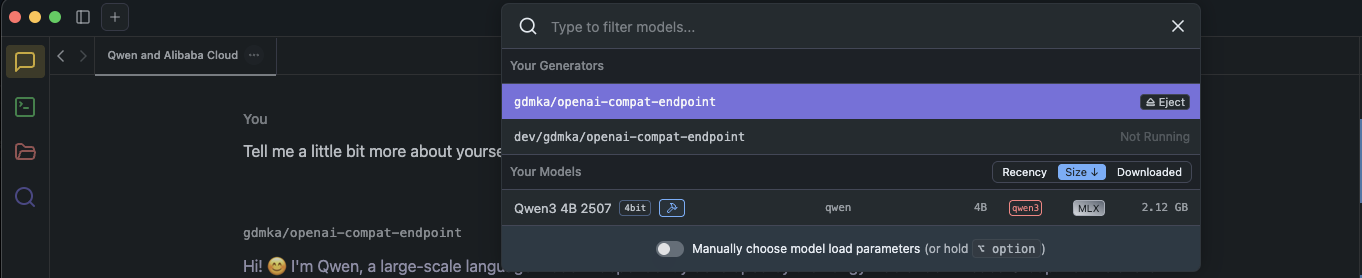
Plugin will be available in Chat view under Your Generators section.
Much more detailed guide is on my Github.
Conclusion
This project is a WIP. So if you have any ideas or bug reports, don’t hesitate to open issue right here.
If you want to reach out to me about a job opportunity visit my contact page